Lead Product Design project on a team bringing to life a multi-facteted streaming and social app for TV Bingers everwhere.
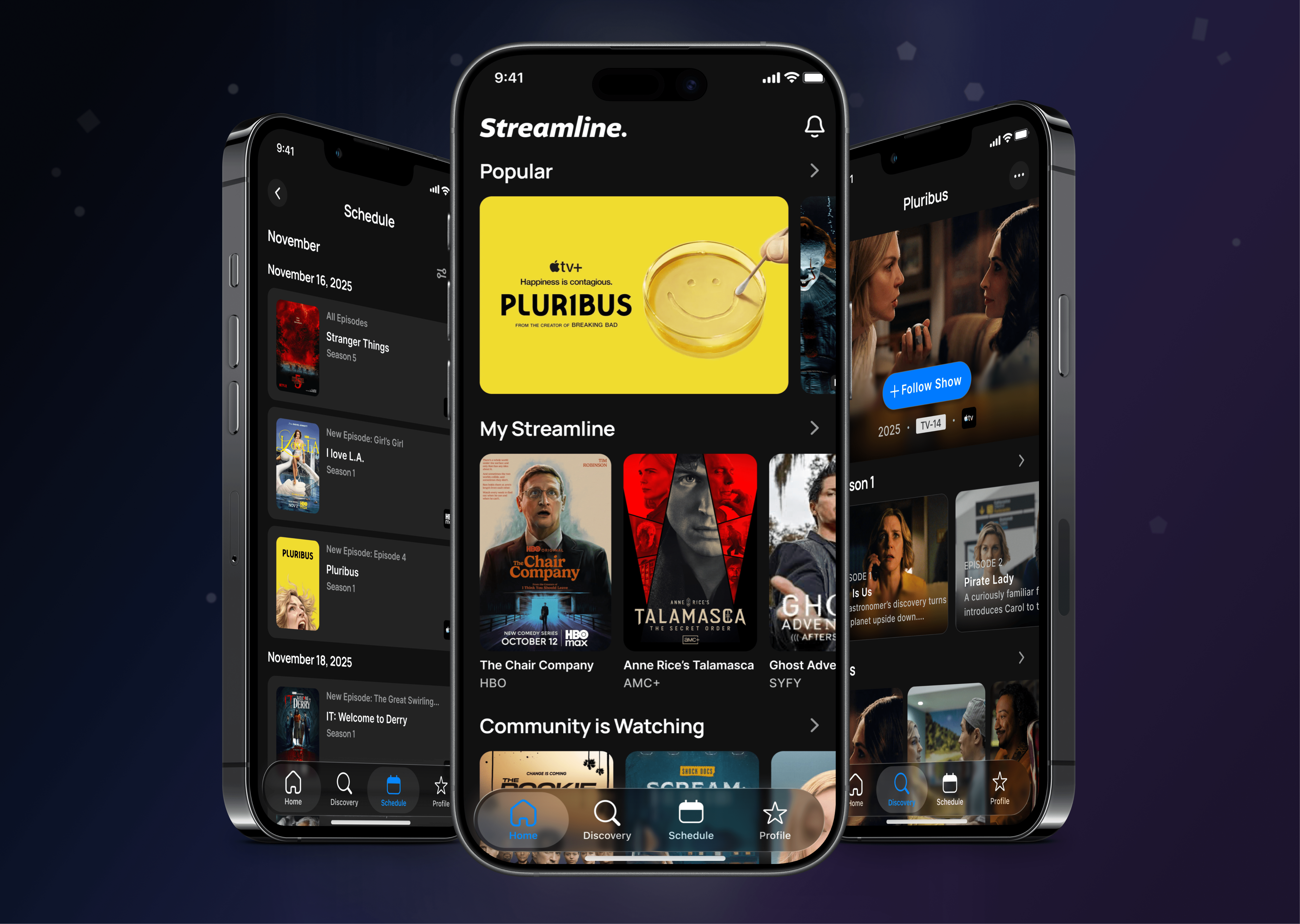
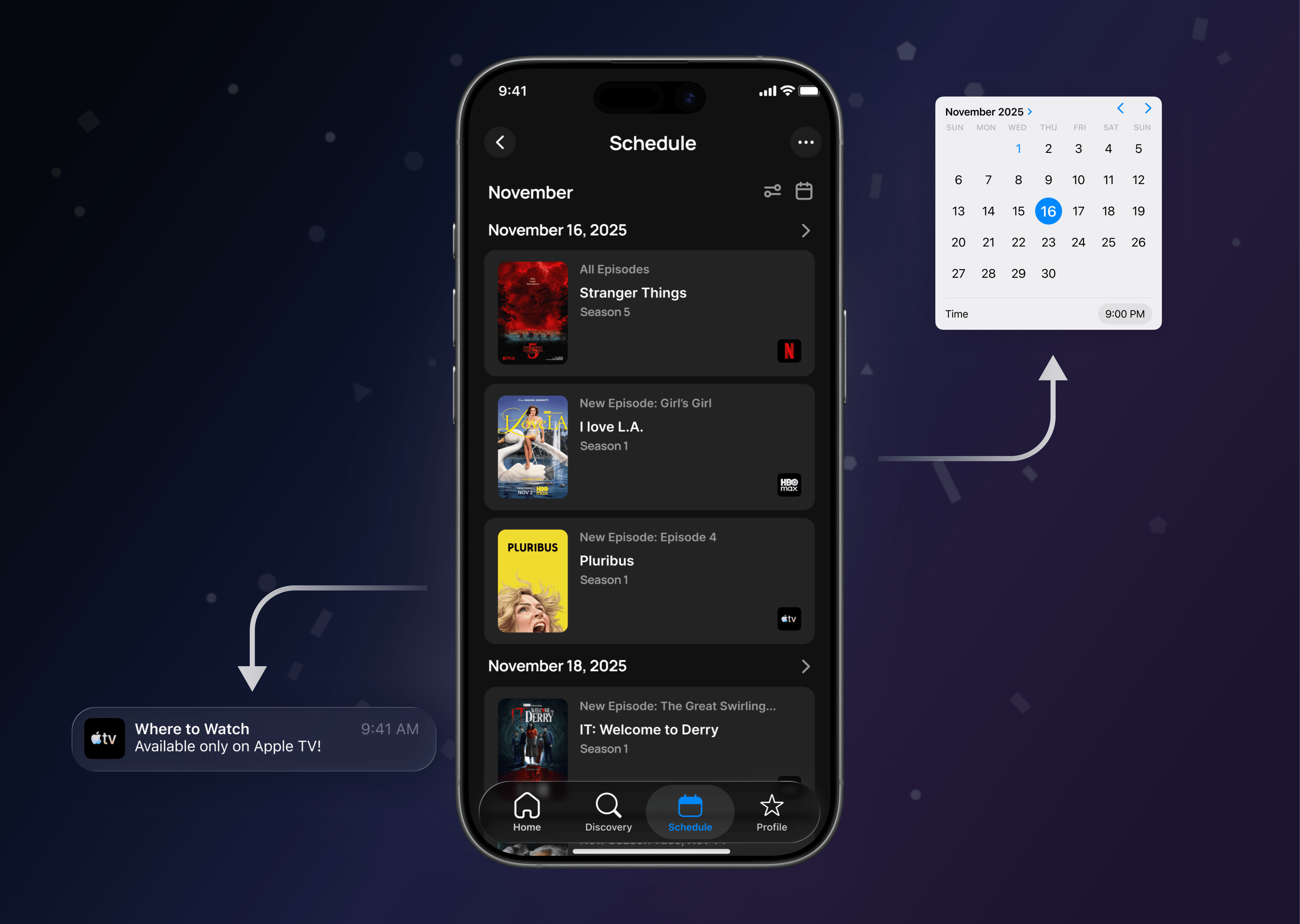
Streamline was built to solve a real-world frustration: streamable content scattered across too many platforms. The initial product lacked the clarity and structure needed to fully support that mission. Users struggled to organize their viewing habits, track upcoming episodes, and confidently know what was available to them on a given streaming platform. I helped to design and evolve an, all-in-one streaming hub using strong research, thoughtful prioritization, and intentional design.
Redesigned Streamline from the ground up to make discovering, tracking, and scheduling shows simple.
Led product design across UX, interaction design, workshops, prototyping, and iterative design.
User research, competitive analysis, wireframes, prototypes, UI designs, and a new design system.
Streamline 2.0 launched with a 33% increase in successful onboarding, 100+ more daily sign-ups, and longer session times.
Understanding User Streaming Habits, Preferences and Desires.
For Streamline to succeed, we needed to clearly understand how users discovered, tracked, and kept up with their favorite content.
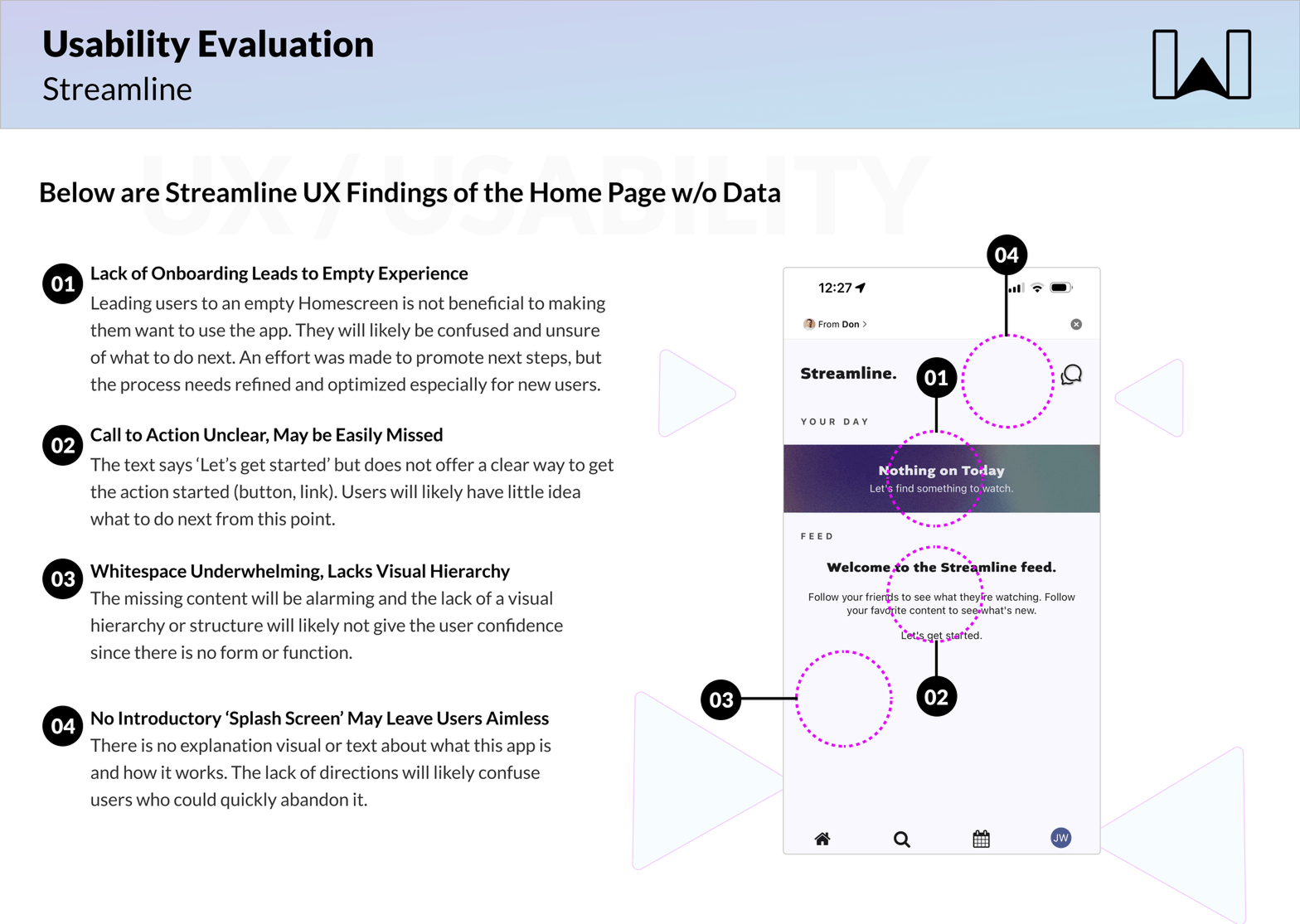
First, I conducted a UX evaluation on Streamline 1.0 and documented key usability and product gaps.
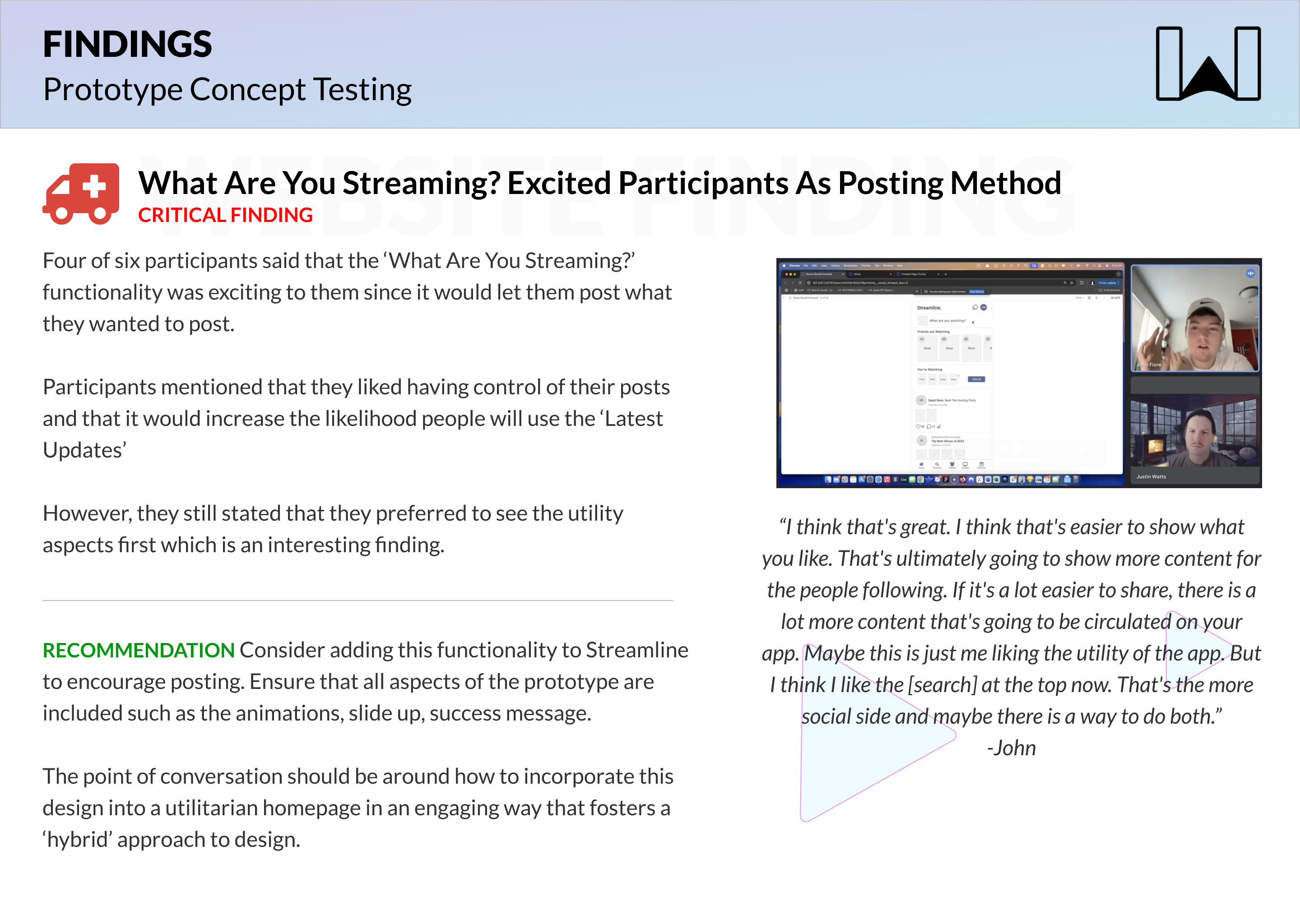
Second, I designed a prototype and concept-tested new ideas centered around discovery, scheduling, and show tracking.
Third, the team workshopped and mapped out the full experience for Streamline 2.0 together.
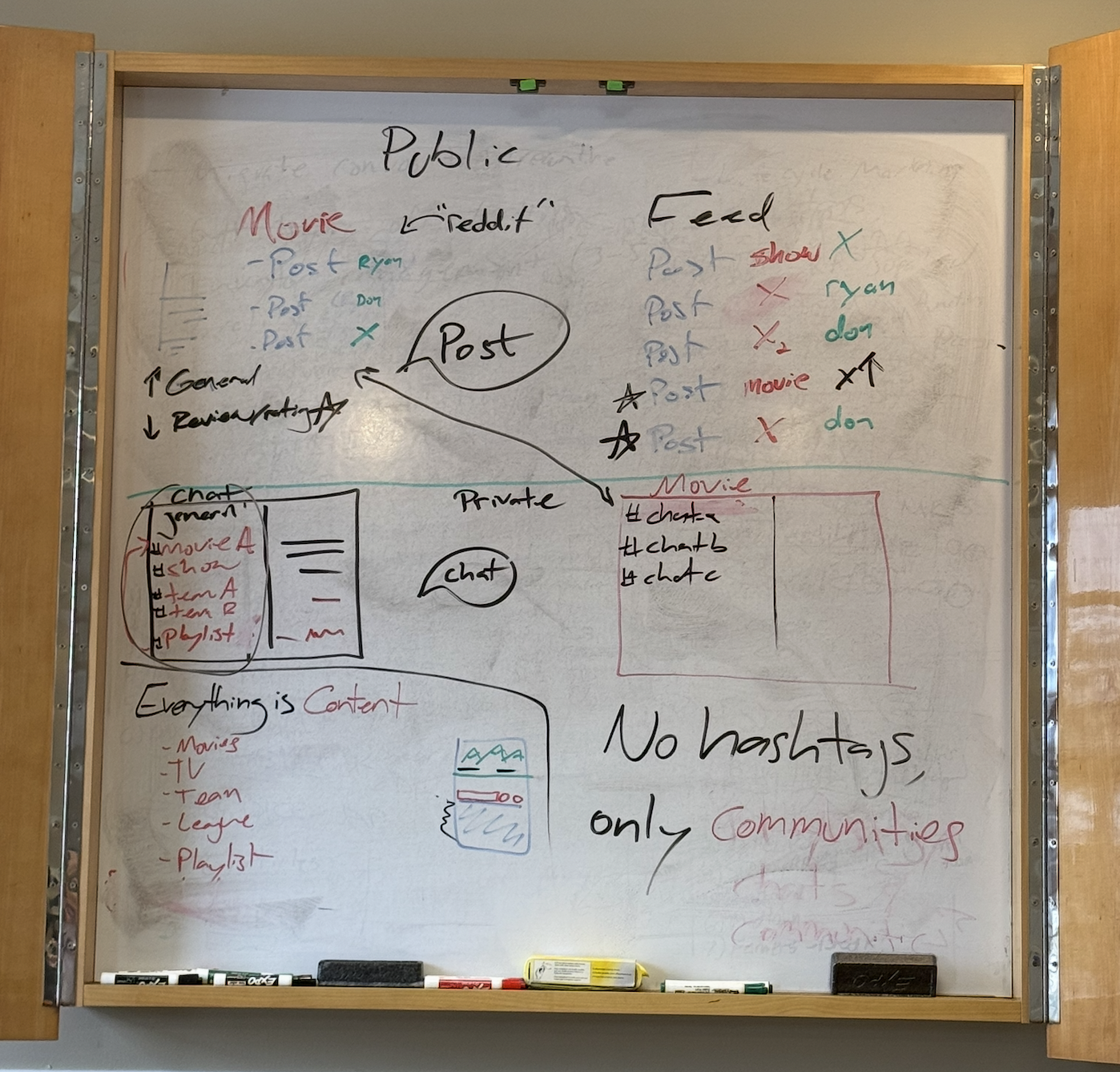
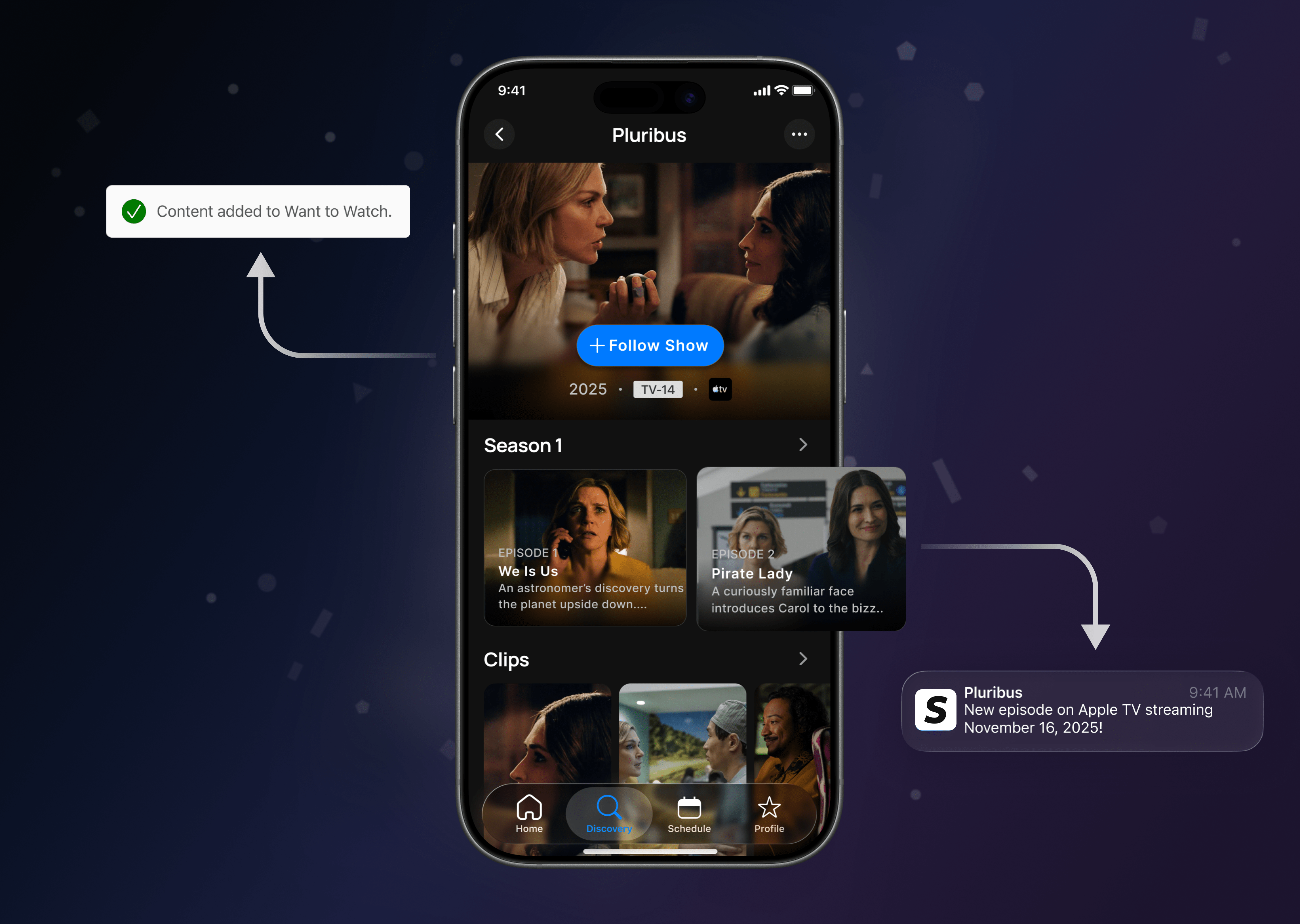
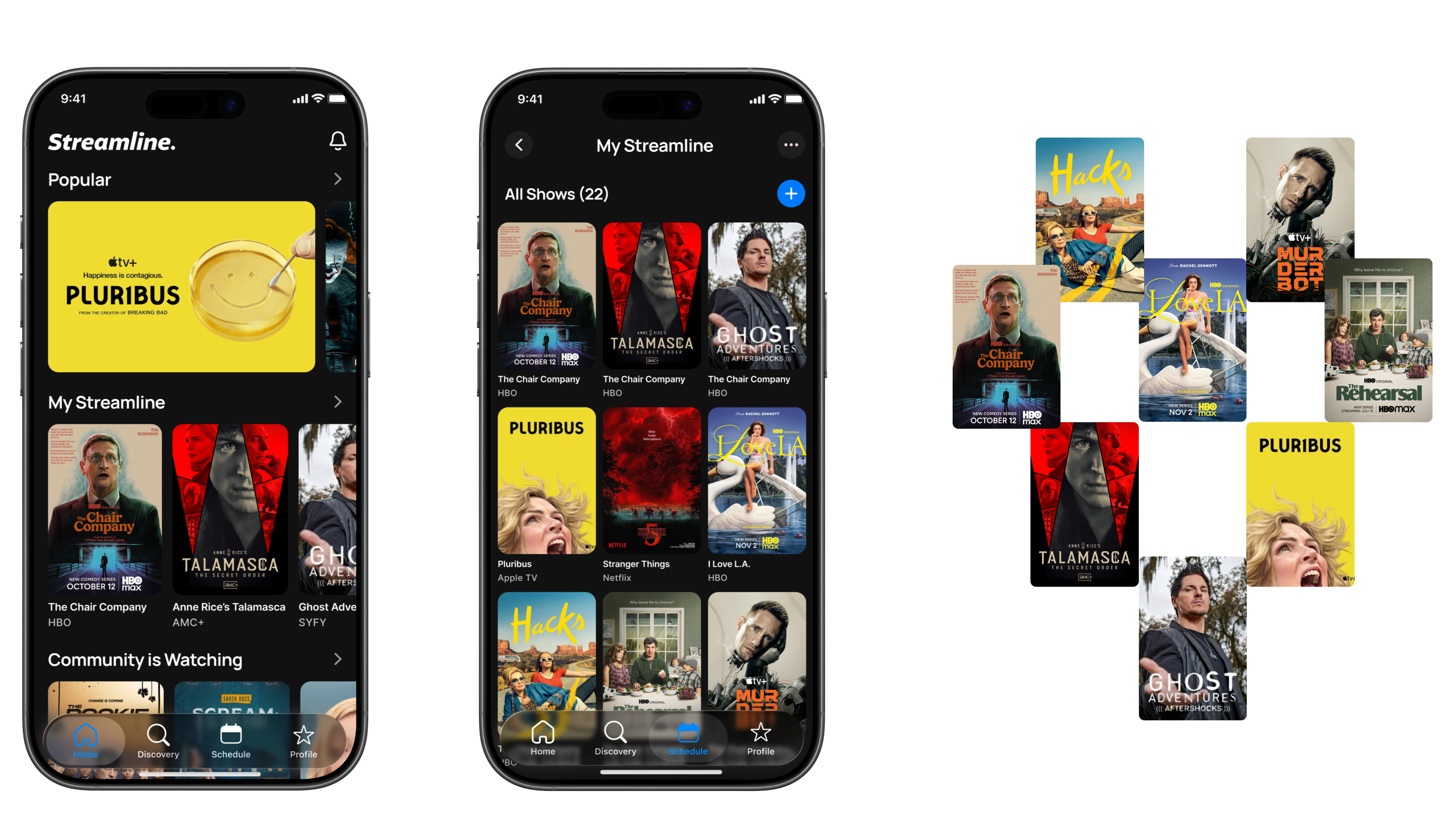
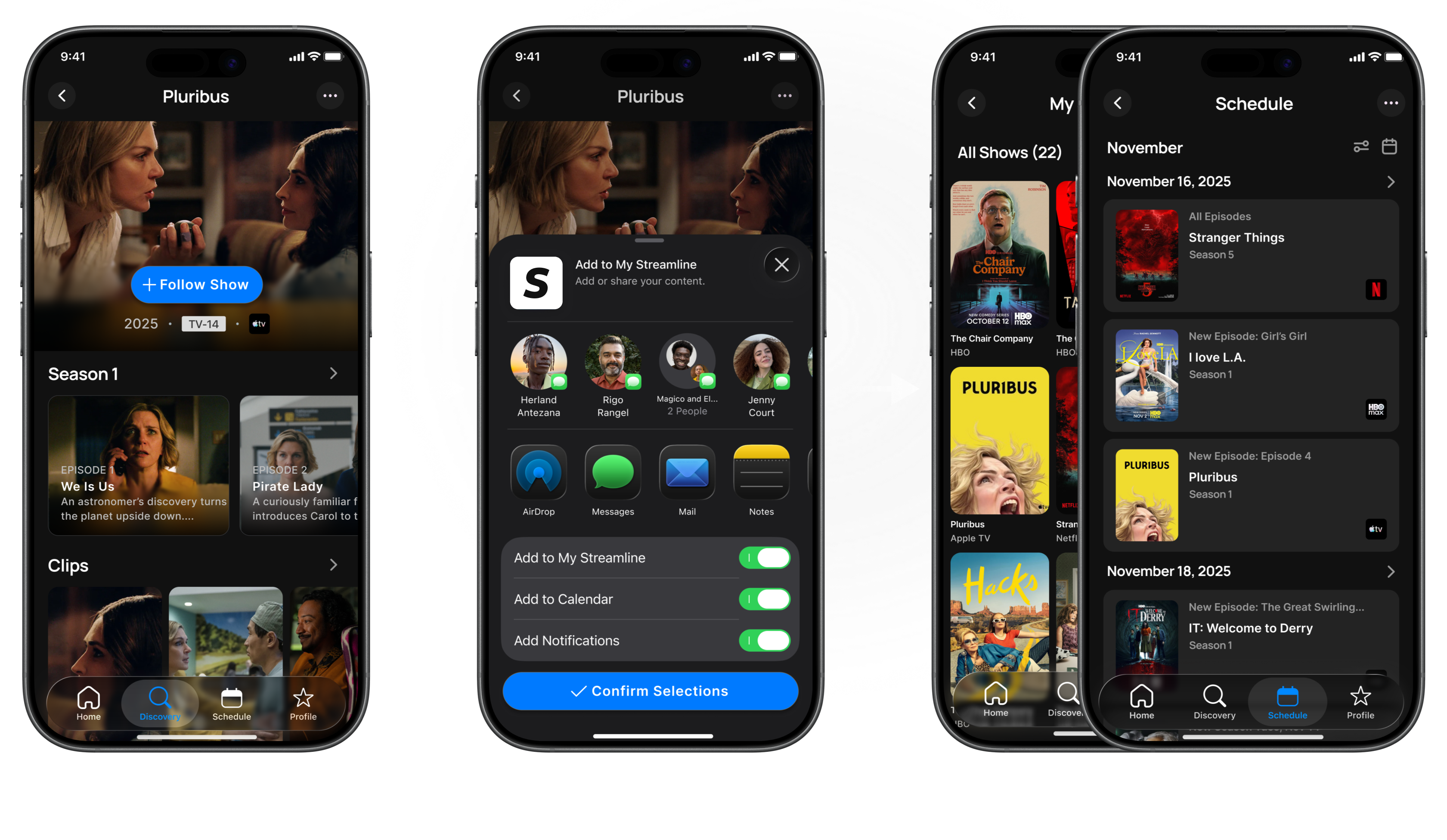
Streamline 2.0 took shape through rapid experimentation, tight collaboration, and constant iteration. Ideas moved quickly from wireframes to validated UI as the product evolved, with the Home experience, individual Show pages, and the Schedule all redesigned from wireframe to UI Each of these core areas was refined through testing and best-in-class interaction design to optimize real-world viewing workflows.
My Streamline gave users a single, centralized place to save and manage all of their shows across platforms. It tested extremely well and replaced the scattered notes, screenshots, and reminders users previously relied on.
Users could choose exactly how they wanted to track each show: adding it to My Streamline, placing it on their schedule, and enabling notifications for new episodes. This flexibility ensured users stayed organized without missing anything.
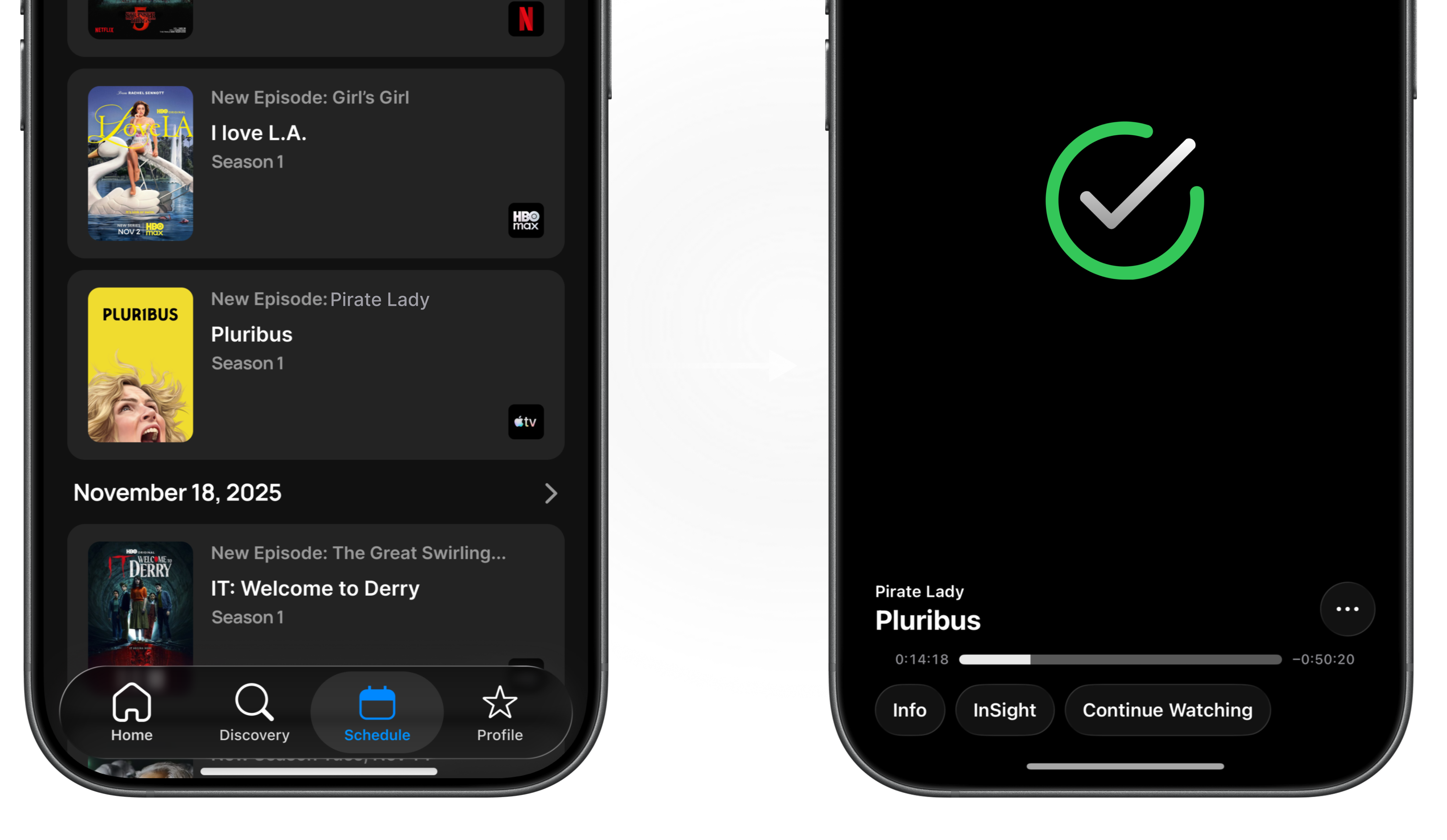
The Schedule feature gave users a clear, centralized view of when their saved shows were airing across all streaming platforms. With automatic updates and notifications, users could plan what to watch and stay up to date without manually checking multiple apps.
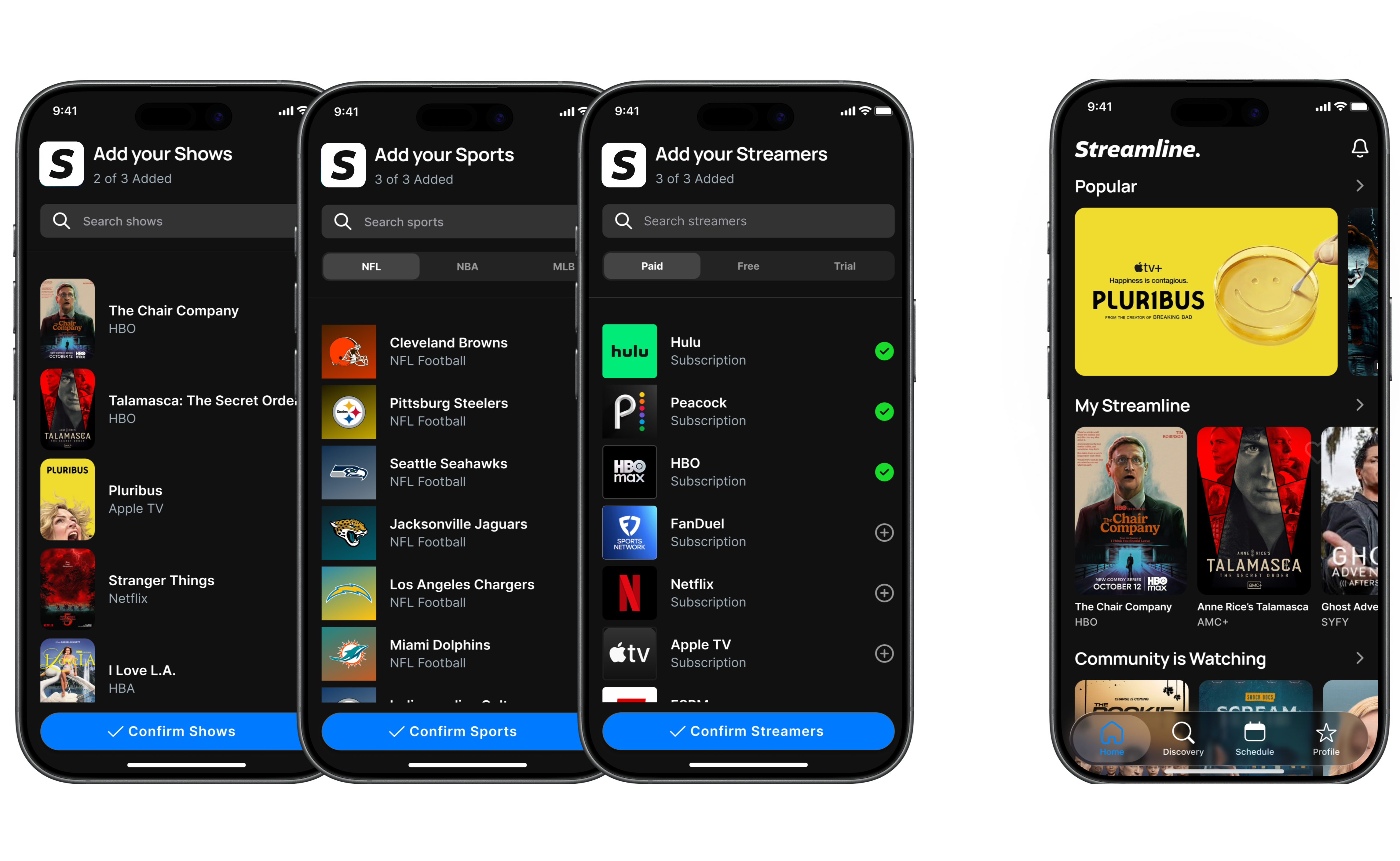
A guided onboarding flow helped new users quickly connect their streaming services, select favorite shows, and set up notifications and scheduling preferences. This ensured users immediately understood how to use Streamline and could start tracking content within minutes.
Streamline 2.0 created a simpler, more engaging way for users to discover, track, and schedule their favorite shows. Following launch, successful onboarding increased by 33%, with 100+ additional daily sign-ups and longer session times. The redesign also laid a stronger foundation for continued product growth.
Average increase in successful onboarding after release.
Increase in number of user sign ups daily from the App Store.
Increase in session duration after the new Streamine launched.
Additional Likes or Shares for shows and scheduling after the launch.